Your own private MyPDF, at your own address
Give your team the PDF editor, design studio, AI assistant and social media planner on a server you control, at an address like app.yourcompany.com, with your logo, your sign-in rules and your data kept in-house.
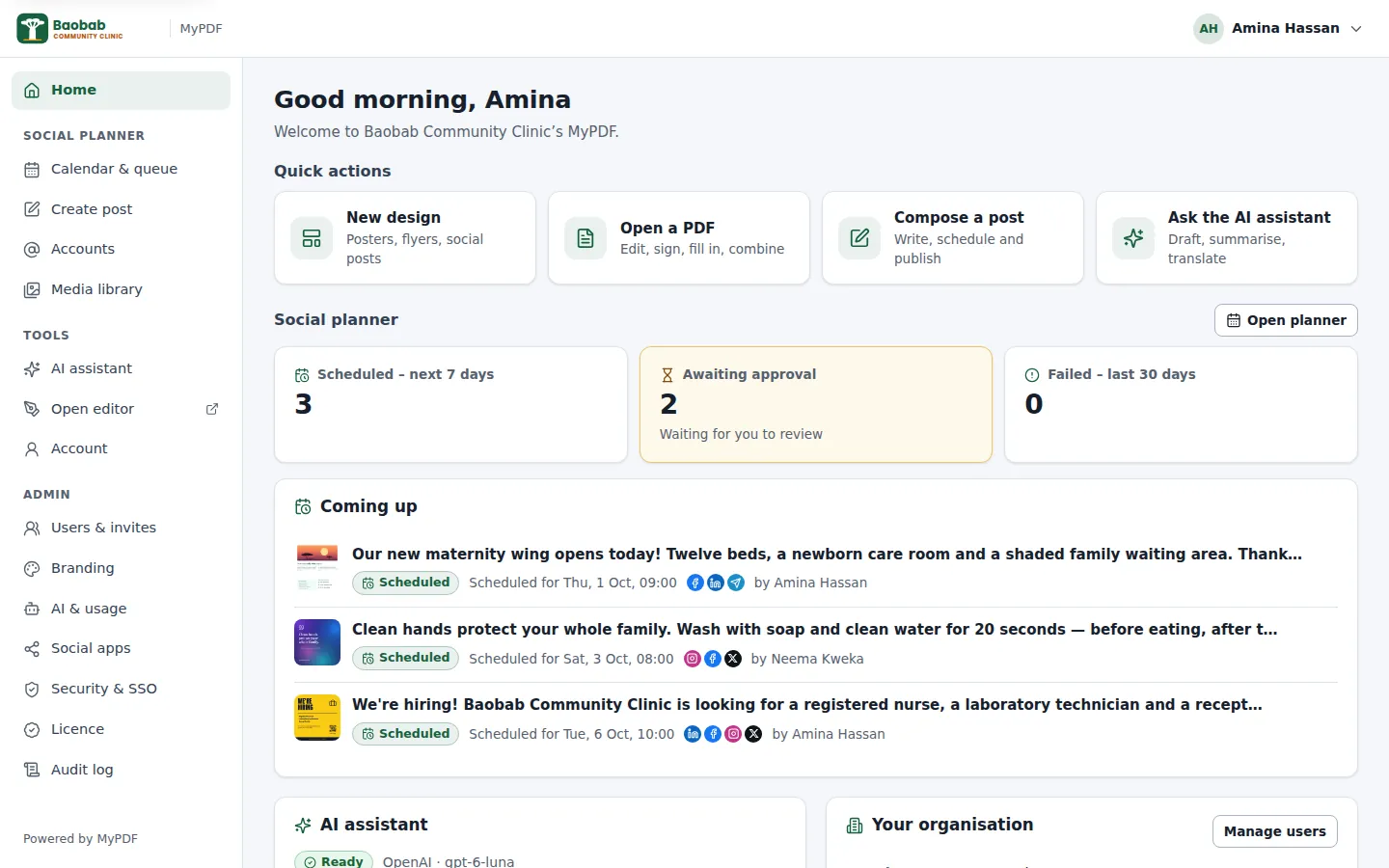
Everything your team needs, under your control
Made for small and medium organisations: clinics, schools, NGOs and businesses that handle documents full of personal information.
Your own install
A private copy of MyPDF for your organisation only, on your own server or cloud account, at your own address such as app.yourcompany.com.
Your branding
Your organisation's name, logo, icon and colours in the editor, the console and on the sign-in page. With white-label, your own product name too.
Data stays on your server
People, settings, social posts and the audit log are stored on your server. Documents opened in the editor aren't stored at all.
Sign-in you trust
2-step verification and a full audit log on every plan, plus single sign-on with Microsoft Entra ID, Google Workspace, Okta or any OpenID Connect provider on Business and Enterprise.
People & roles
Invite people by email or with a link. Members, admins and owners each see what they need, and admins can require approval for social posts.
AI with your own key
The AI assistant, Design with AI, Magic write, AI images and Ask this PDF, using your organisation's OpenAI, Anthropic or self-hosted model.
Social media planner
Plan, write, approve and schedule posts for Facebook Pages, Instagram, LinkedIn, X, TikTok and Telegram, with AI captions.
Easy to install and look after
One command installs everything. Scripts for updates, backups, restores and status checks keep day-to-day work simple.
Licence & seats
A yearly licence for the number of people you need. The key is checked on your own server: MyPDF never calls home.
From first conversation to your whole team
Talk to us
Tell us about your organisation, how many people will use MyPDF and the address you'd like. We'll answer your questions and send you the MyPDF release.
Install it
Your IT person points the address at a server and runs the installer. It checks the server, starts MyPDF and prints a one-time set-up link.
Set it up
Open the link to create the owner account, then add your logo, connect your AI provider and social accounts, and invite your team.
Use it every day
Everyone signs in at your address. Paste your licence key before the 30-day trial ends; no data is lost when you do.
It looks like yours, because it is
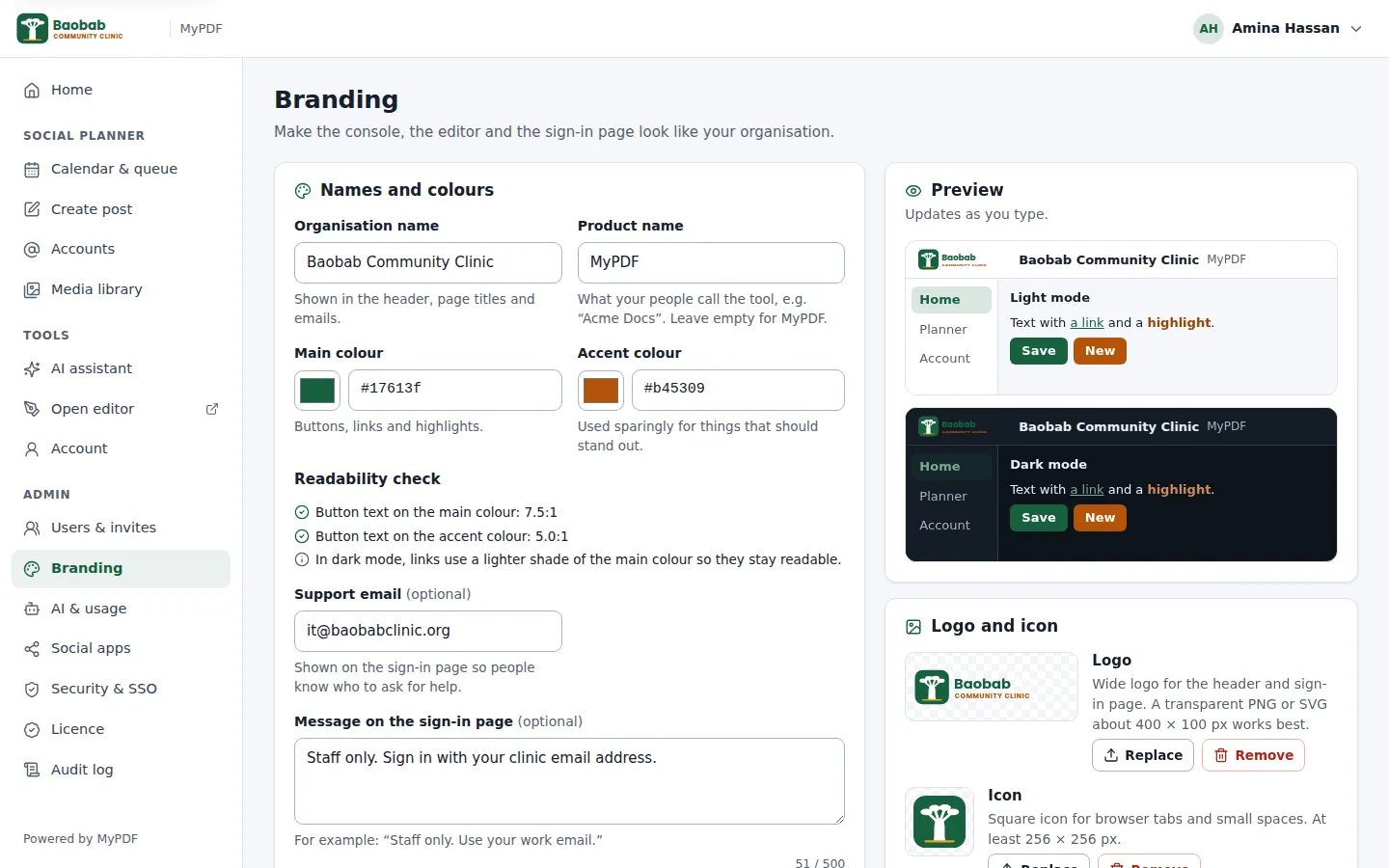
In Admin → Branding, add your organisation's name, logo, icon and colours, a support email and a short message for the sign-in page. A readability check makes sure text stays easy to read on your colours.
- Shown in the editor, the console and on the sign-in pages
- With the white-label feature (Business and Enterprise plans), change the product name, for example to “Acme Docs”, and hide “Powered by MyPDF”
Invite your team in minutes
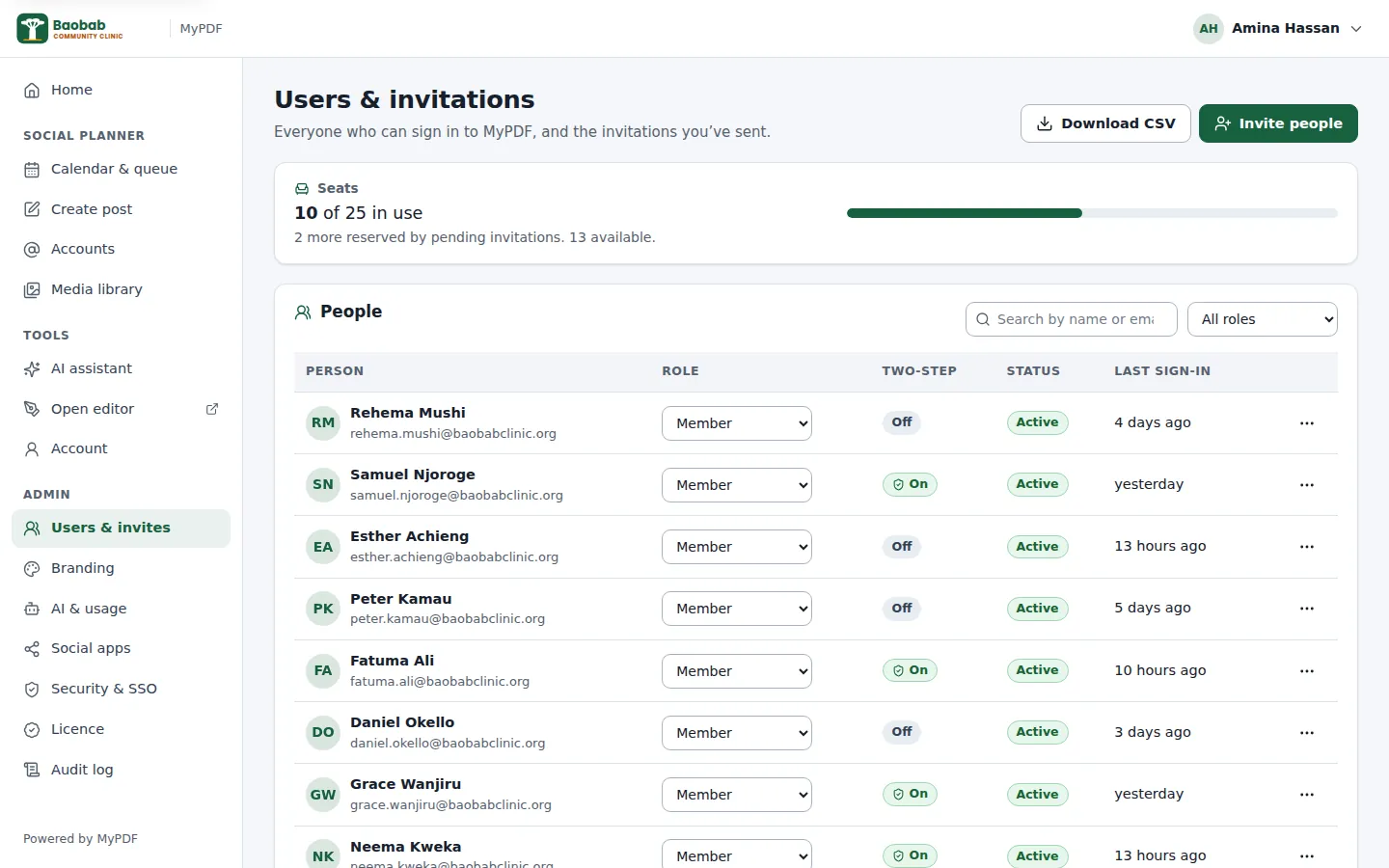
Invite people by email, or copy the invitation link and send it on WhatsApp, Teams or Slack. Each invitation is valid for seven days. You can see who has 2-step verification turned on and when they last signed in.
- Members use the editor, the AI assistant and the social planner
- Admins also manage people, settings and social accounts, and approve posts
- Owners can also manage other owners. We recommend two.
Built for documents that matter
MyPDF runs as one private install per organisation. We, the vendor, have no access to it unless you give it to us.
Single-tenant and self-hosted
No other organisation's data or code runs on your install. Everything MyPDF stores stays in databases on your server.
Nothing sent anywhere by default
No telemetry, analytics or licence check-in. MyPDF only connects to services you set up: your AI provider, social networks, email server and sign-in provider.
Strong sign-in
2-step verification with any authenticator app, required for admins or for everyone. Single sign-on through OpenID Connect (Business and Enterprise), which you can make the only way in.
Audit log
Who signed in, who changed what and when, and from which IP address, including AI settings and social publishing. Search it and download it as CSV.
Encrypted secrets
AI keys, social sign-ins, the SSO secret and 2-step secrets are encrypted with a key made on your server. Passwords are hashed with Argon2id.
Hardened by default
HTTPS with HSTS, a strict Content-Security-Policy, rate limits and non-root containers on private networks. The PDF service has no internet access.
One command to install, simple to look after
Your IT person copies the release to a Linux server and runs:
sudo ./install.shThe installer checks the server, can install Docker for you, starts MyPDF and prints the set-up link. It works with its own built-in proxy, which gets an HTTPS certificate automatically, with an existing Traefik, or behind your own nginx, Caddy, load balancer or Cloudflare Tunnel.
- Updates: one script rebuilds on the latest security fixes and checks everything is healthy, taking a backup first
- Backups: one script, or nightly backups on a schedule, to copy to safe storage
- Status: one command shows health, versions, licence, seats and disk space
Server requirements
| Operating system | Ubuntu 22.04 or 24.04 LTS, or Debian 12 (64-bit, x86_64 or arm64) |
|---|---|
| CPU and memory | At least 1 vCPU and 2 GB RAM; 2 vCPU and 4 GB recommended |
| Disk | 20 GB, or 40 GB or more if you upload a lot of social media video |
| Software | Docker Engine 25+ with Compose 2.24+ (the installer can install it) |
| Address | A DNS A record, such as app.yourcompany.com, pointing to the server |
| Network | Ports 80 and 443 in (or your own proxy), HTTPS out |
| Clock | Correct time (NTP), which 2-step codes depend on |
A virtual machine at any cloud provider or in your own data centre works well.
Simple, predictable licensing
30-day free trial
A new install runs for 30 days with every feature for up to 5 people. No licence key needed to start.
Per person, per year
Seats are the people who can sign in, plus pending invitations. Disable someone who leaves and their seat is free again.
Checked on your server
Paste the key in Admin → Licence. It's checked offline, and is issued for your address.
A grace period
After the expiry date, everything keeps working for 14 days with a reminder. After that only owners and admins can sign in until a new key is added. No data is deleted.
Made for everyday work in real organisations
Clinics & health
Forms, referral letters and reports stay in-house, with patient details redacted before sharing and health tips posted on schedule.
NGOs
Grant reports, signed agreements and campaign posts, with approvals so every message is checked before it goes out.
Schools
Certificates, timetables, newsletters and notices for parents. On the Business plan, staff sign in with your school's Google Workspace or Microsoft 365 account.
Businesses
Quotes, invoices, contracts and marketing designs, in your brand, with the AI assistant to write and translate.
Let's talk about your organisation
Tell us how many people will use MyPDF and what you need. We'll reply by email with a quote and a trial.