Everything you need to work with PDFs
A full editor for everyday documents, a design studio with 196,930+ templates, and a photo studio with Photoshop-style effects, plus professional tools for scans, security and conversion. Organisations also get an AI assistant, a social media planner and admin tools.
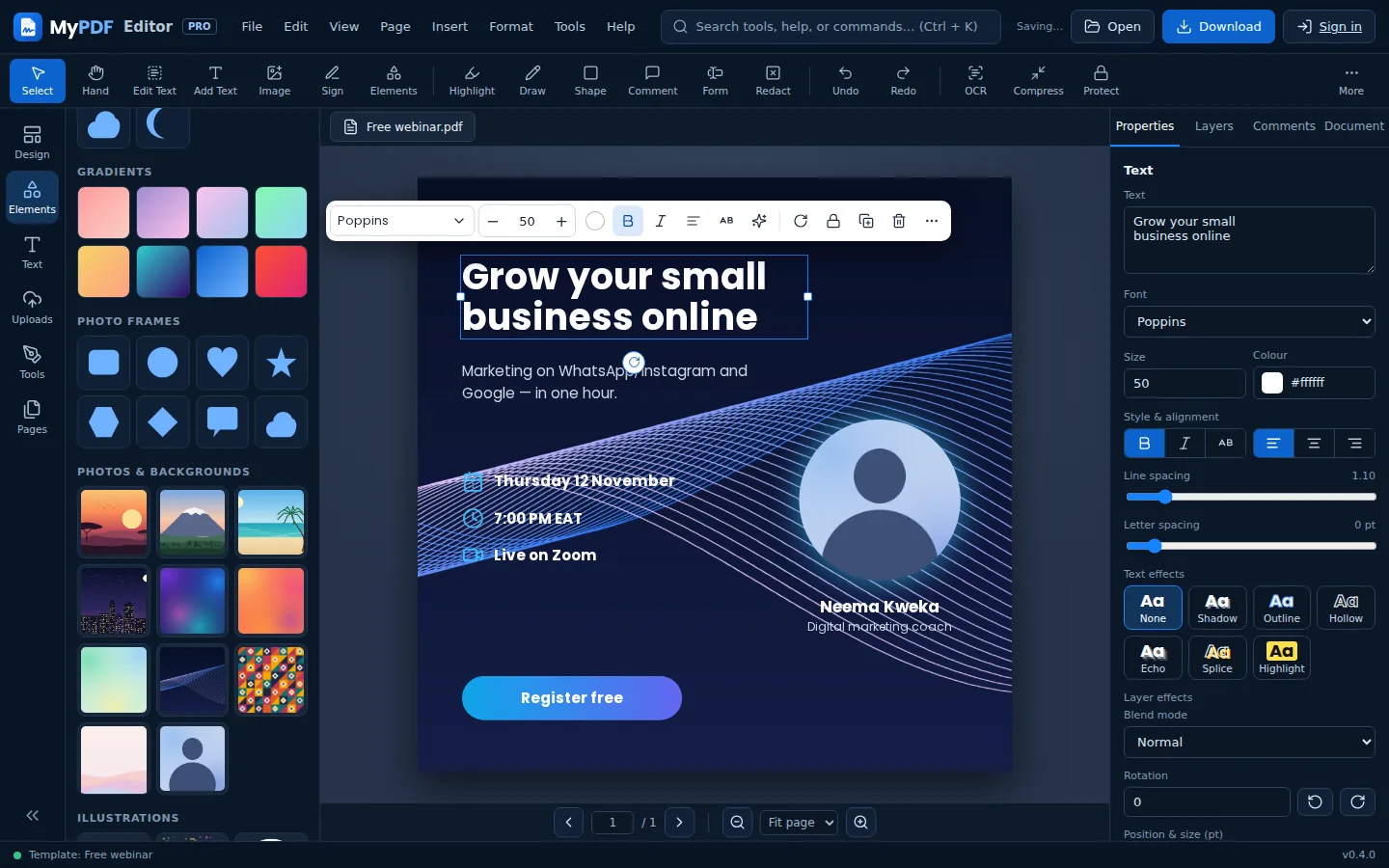
Create designs like a pro
- 196,930+ templates: certificates, flyers, posters, invoices, receipts, quotations, CVs, cover letters, invitations, menus, timetables, slides and social media posts. Browse the gallery
- 13 ready-made sizes for print, presentations and social media, or any custom size
- Elements: 19 shapes, gradients, lines, more than 120 icons, illustrations, built-in photos and backgrounds, photo frames and QR codes
- 14 designer fonts and font pairings, with shadow, outline, hollow, echo, splice and highlight effects
- Brushes, smart guides, a snap-to grid, rotate, align, group, lock, and drag-to-reorder layers
- Downloads as PDF, PNG, JPG or MP4 social video
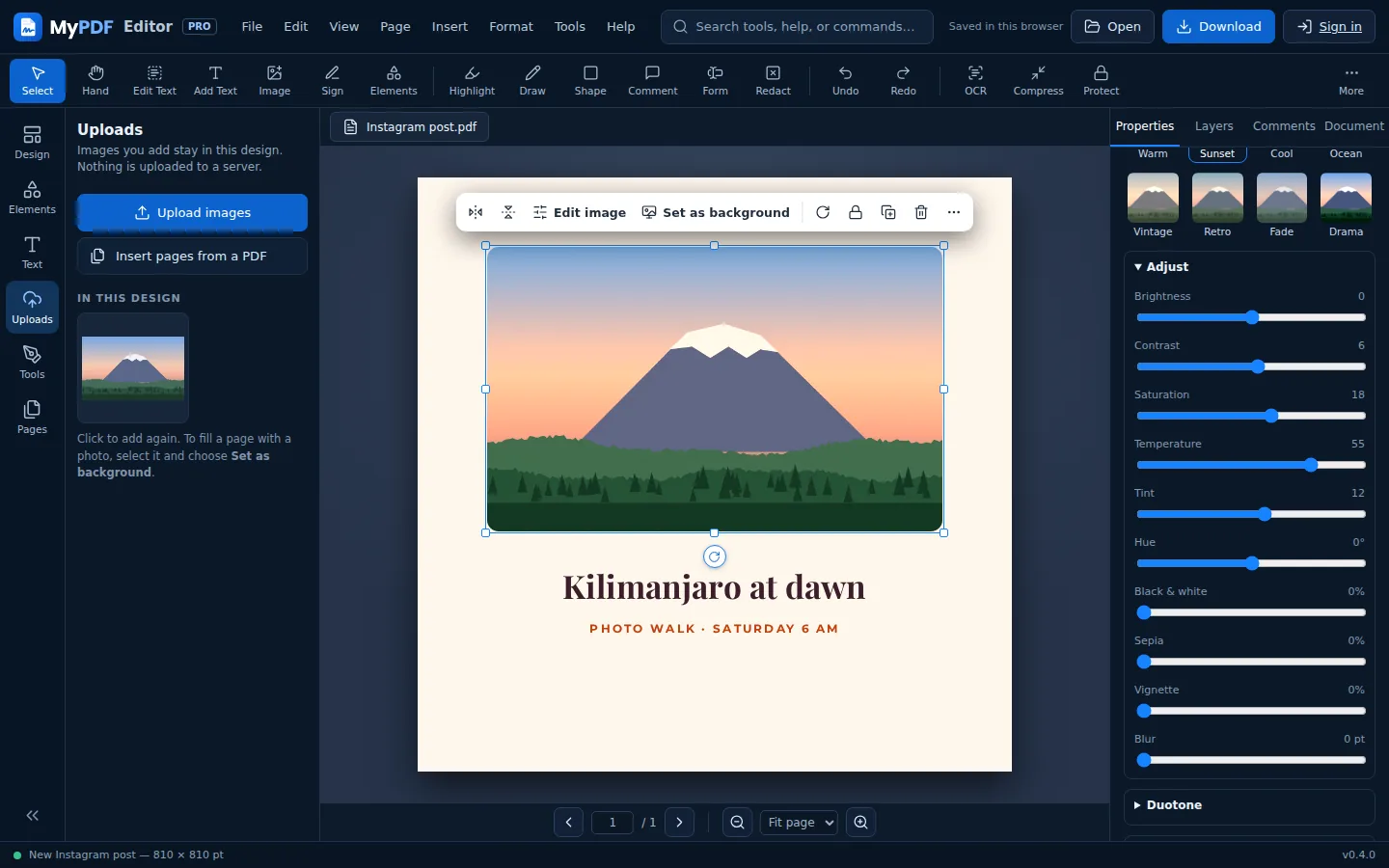
Photoshop-style photo and layer effects
- 12 filters and duotone, plus brightness, contrast, saturation, temperature, tint, hue, black & white, sepia, vignette and blur
- Background eraser for photos with a plain background
- Photo masks: circle, heart, star, hexagon, speech bubble and more, plus crop and rounded corners
- Replace photo keeps the frame, size and effects
- Drop shadows (soft, lift, hard, glow) and 12 blend modes for any shape, icon or photo
- Gradients and a colour picker with document colours and an eyedropper
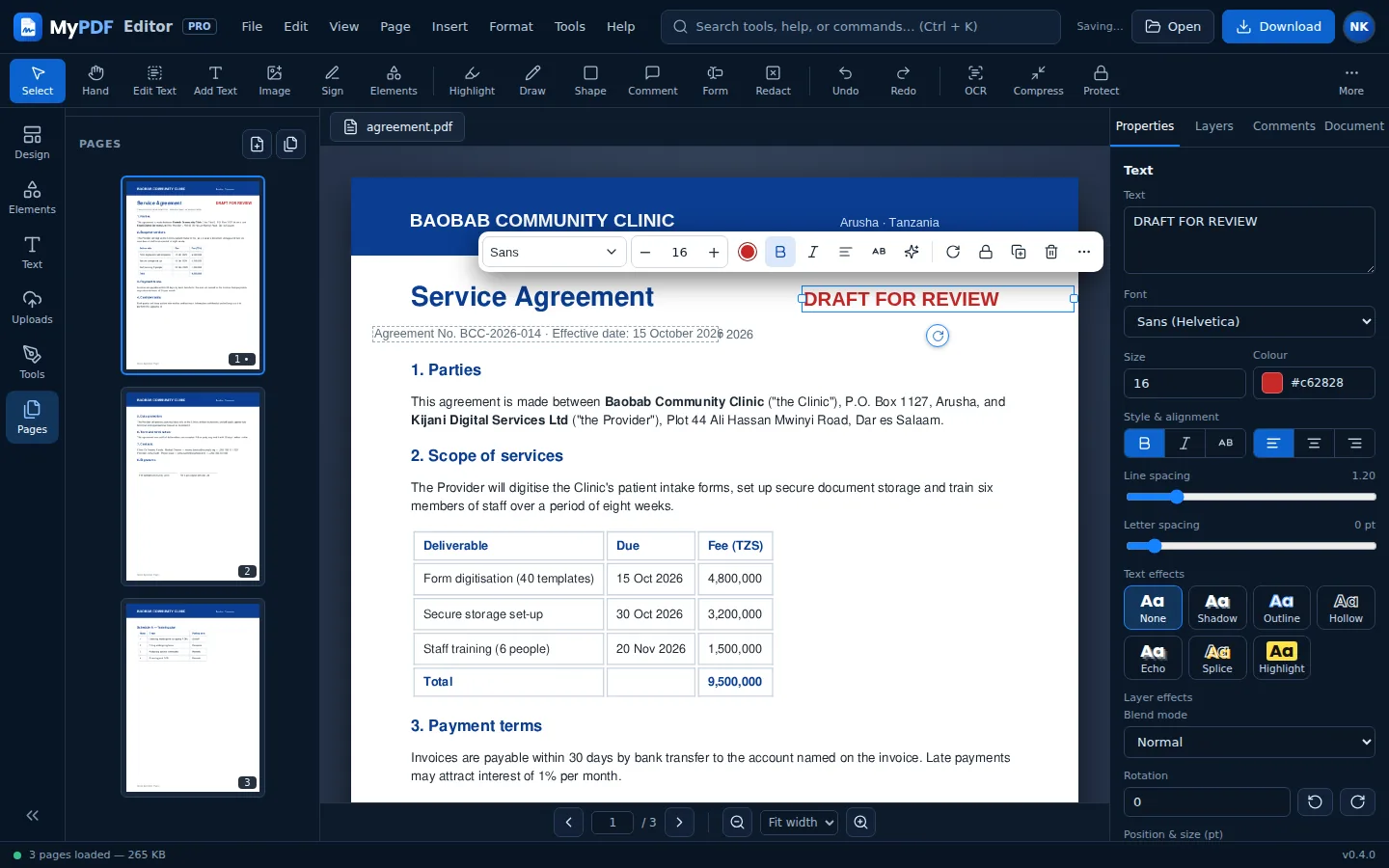
Edit text and images
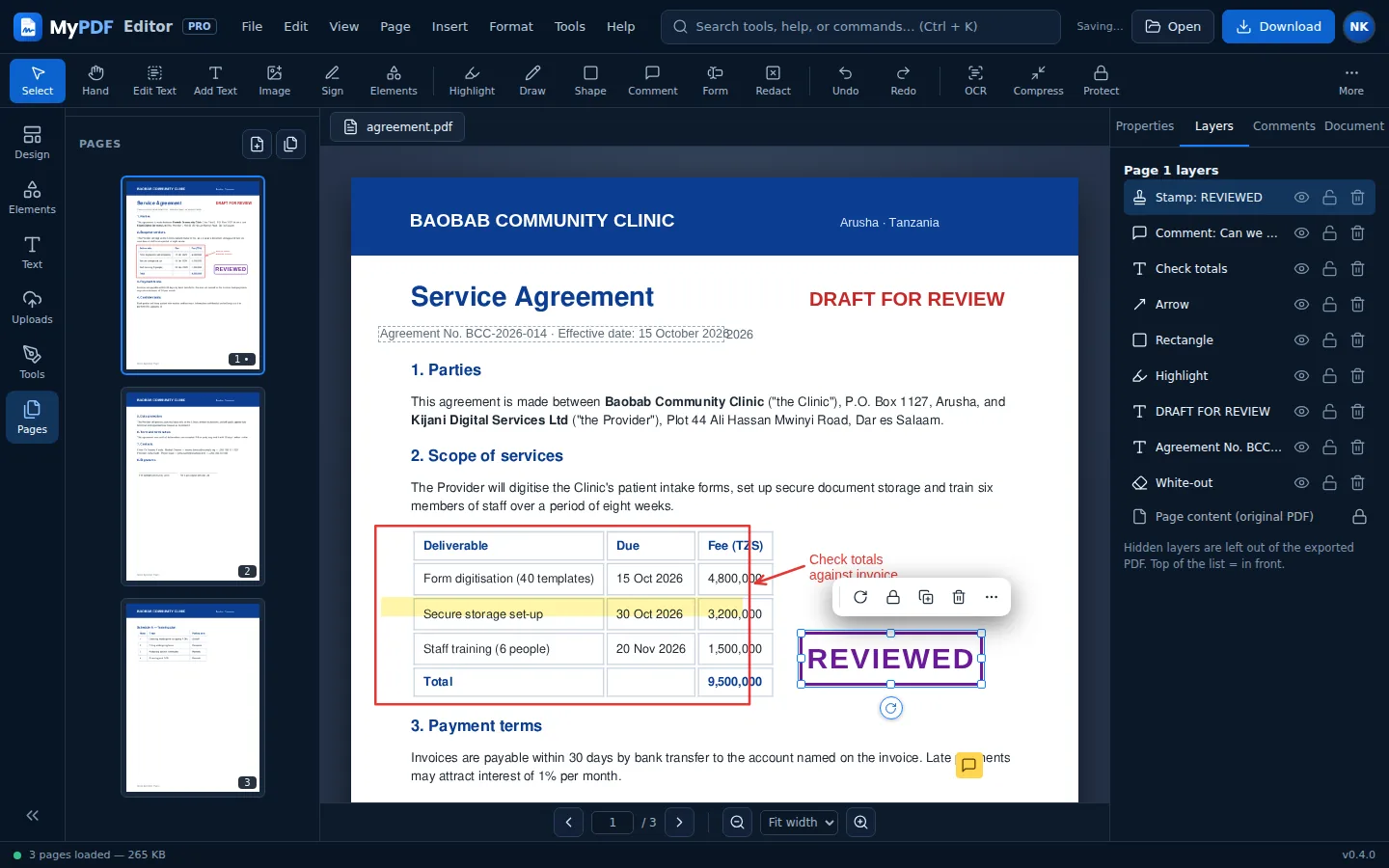
- Edit existing text: click a line in the PDF and retype it. The old words are removed when you download.
- Add text in sans, serif, mono or a Unicode font for accents and symbols (✓, é, ñ)
- Bold, italic, alignment, colour, size and opacity
- Add images by choosing a file, pasting from the clipboard or dragging onto the page
- White-out to erase anything cleanly
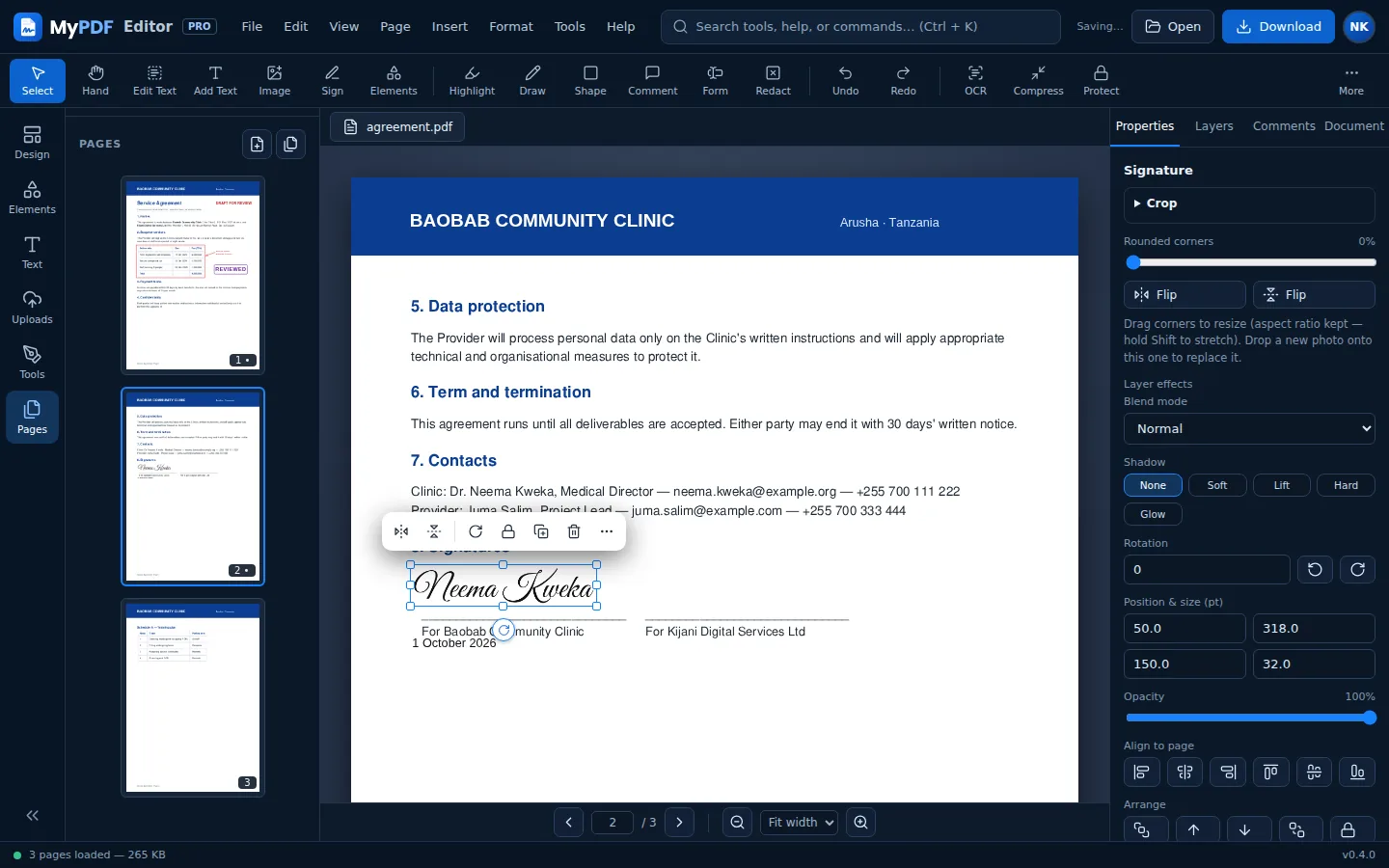
Signatures, dates and stamps
- Draw, type or upload your signature. Uploaded signatures have their white background removed.
- Up to six signatures saved on your device
- One-click date and check mark
- Stamps: Approved, Paid, Received, Draft, Reviewed, Confidential, Rejected, Void
Annotate and comment
- Highlight, freehand drawing, rectangles, ellipses, lines and arrows
- Sticky-note comments saved as real PDF comments. They open in Acrobat, Edge and Preview.
- Clickable links to websites or to other pages
- Layers panel: show, hide, lock and reorder everything you add
A visual whiteboard inside your document workspace
Sketch ideas, map workflows and run workshops without leaving MyPDF.
- Freehand pen, rectangles, ellipses, diamonds, lines and smart arrows
- Sticky notes, text and frames with drag-and-drop editing
- Flow Snap that magnetises connectors to nearby ideas and shapes
- Starter boards for brainstorming, Kanban, user journeys, architecture, SWOT and meetings
- Pan and zoom, undo/redo, local autosave, focus mode and a 25-minute focus sprint timer
- Export PNG, SVG or an editable MyPDF Board file and import it later
AI, social media and admin, on your own server
These features come with MyPDF for organisations: a private install at your own address, on the Team, Business and Enterprise plans.
Ask, and the editor does the work
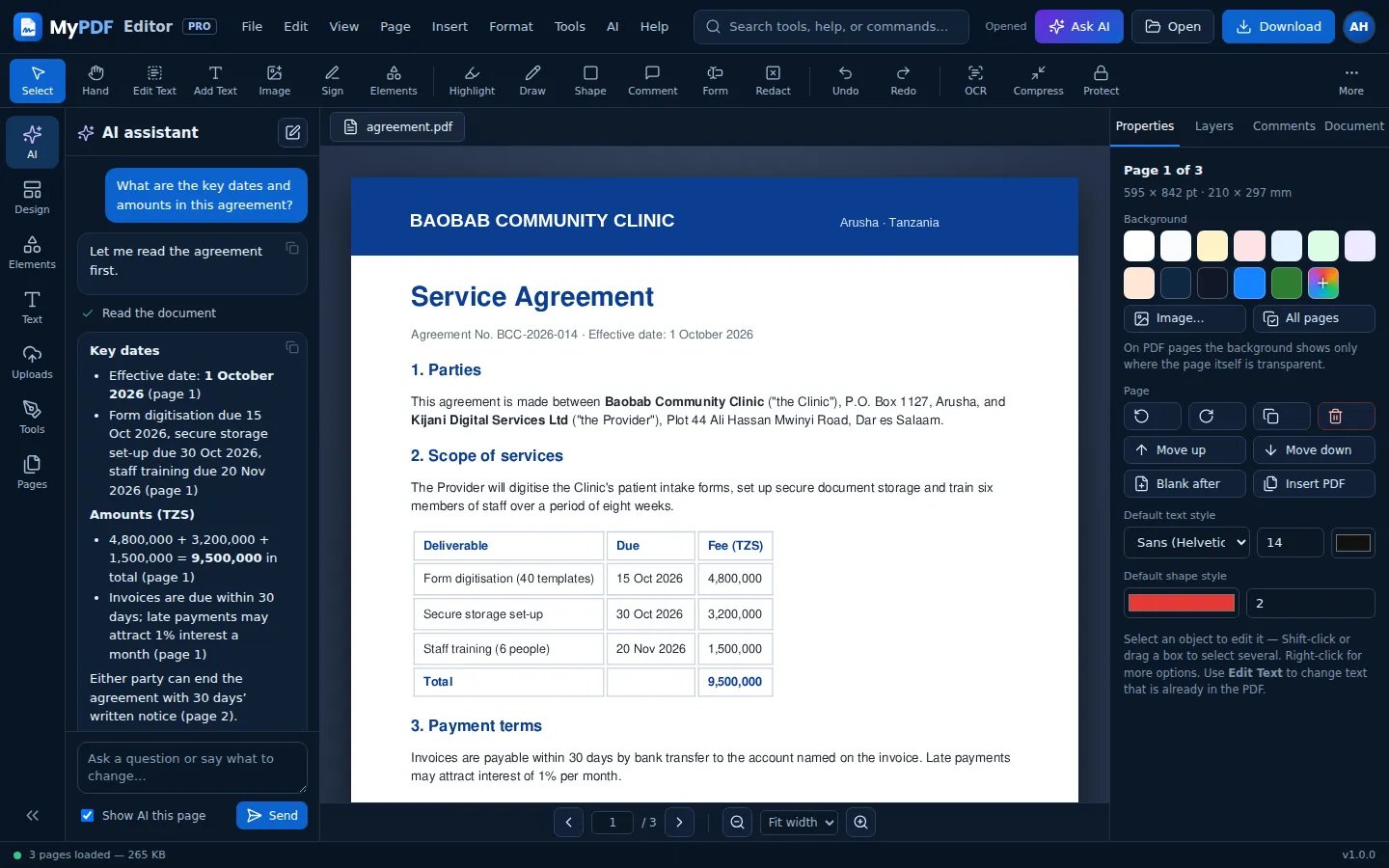
- Assistant: a chat that designs, edits, fills in forms and adds pages using the editor's own tools, with one-click undo
- Design with AI: describe a design and get a template with the words written for you
- Magic write: improve, fix, shorten, lengthen, simplify, change the tone, make bullet points or a headline, continue or translate any text
- Ask this PDF: answers and summaries from the document, with page numbers
- AI images: pictures and page backgrounds from a description
- Your organisation's own OpenAI, Anthropic or self-hosted model, with limits set by admins
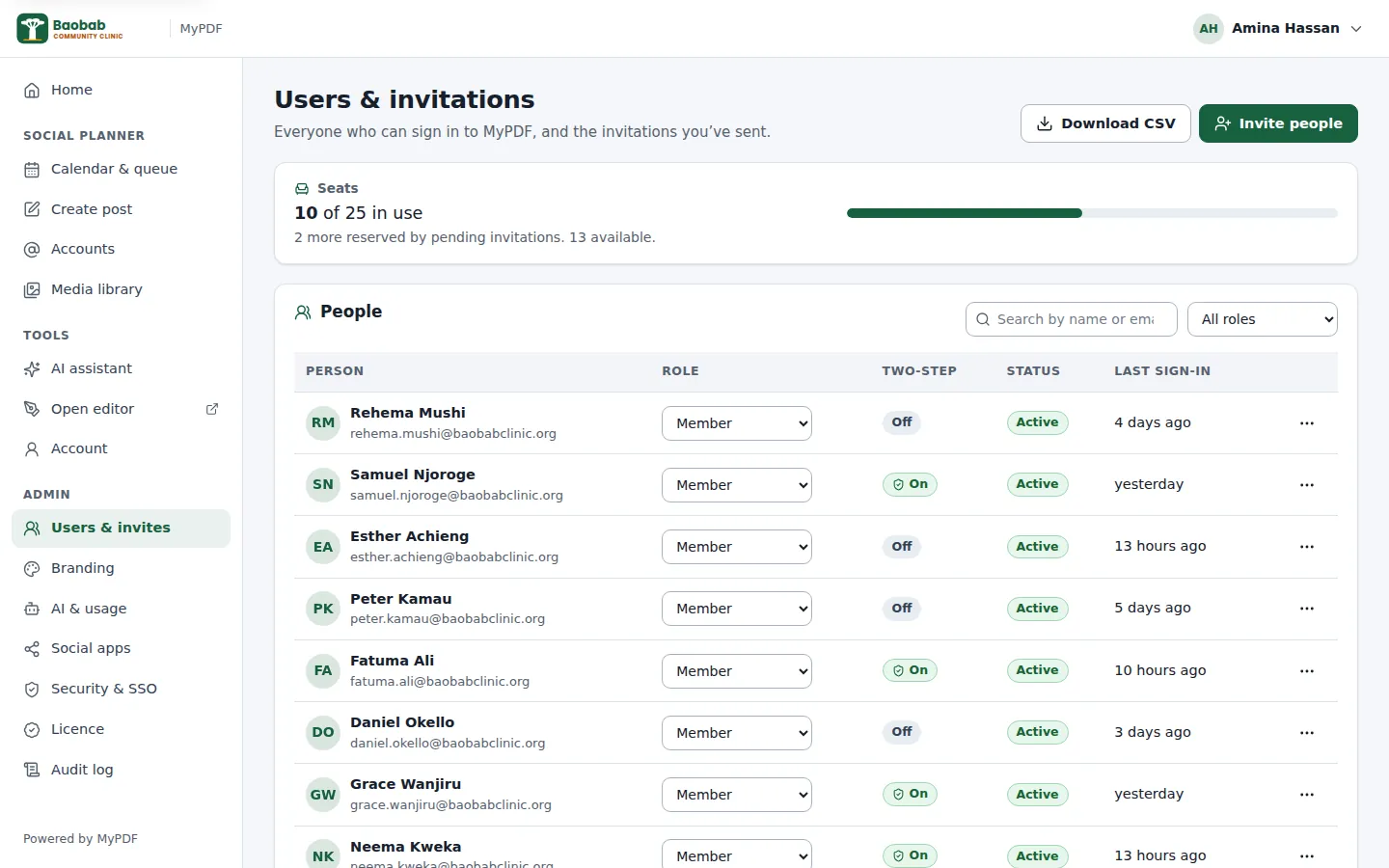
A console for your whole team
- Invite people by email or link; member, admin and owner roles; seats at a glance
- Your name, logo and colours; white-label product name on Business and Enterprise
- 2-step verification rules, and single sign-on with OpenID Connect on Business and Enterprise
- Audit log with CSV export, AI usage by day and by person
- Licence and seats, one-command installer, updates and backups
All features at a glance
Forms
Fill text fields, checkboxes, drop-downs and radio buttons with a live preview. Add new fillable fields. Flatten on download.
Pages
Drag to reorder, rotate, duplicate, delete, insert blank pages, insert other PDFs, extract a selection, split into files, add page numbers.
Redaction
Permanent removal of text, images and drawings. Find & redact by word, phrase or pattern (emails, phone numbers, ID numbers).
OCR
Make scanned pages searchable and editable in English, Kiswahili, French, Portuguese and Arabic. Mix languages in one document.
Convert
To Word (DOCX), PNG or JPG images at 72–300 dpi, plain text, or PDF/A for long-term archiving. Photos to PDF.
Compress
Three levels, from light to strong. Large scans and photo-heavy files often become many times smaller while staying readable.
Protect
AES-256 password with permissions for printing, copying, editing and form filling. Remove a password you know.
Watermark
Text watermark with your choice of colour, size, angle, opacity and pages.
Search
Search the whole document and jump to highlighted matches. Scanned pages become searchable after OCR.
Undo everything
Sixty steps of undo and redo across text, objects and page changes.
Command search
Press Ctrl + K and type what you want to do, like “compress” or “rotate”.
Any device
Designed for desktop, tablet and phone, with touch drawing, slide-out panels and bottom-sheet dialogs.
Every command, one search away
You don't need to hunt through menus. Press Ctrl + K (or tap More) and type what you need. Keyboard shortcuts cover every tool, so regular users can work quickly.
See all shortcuts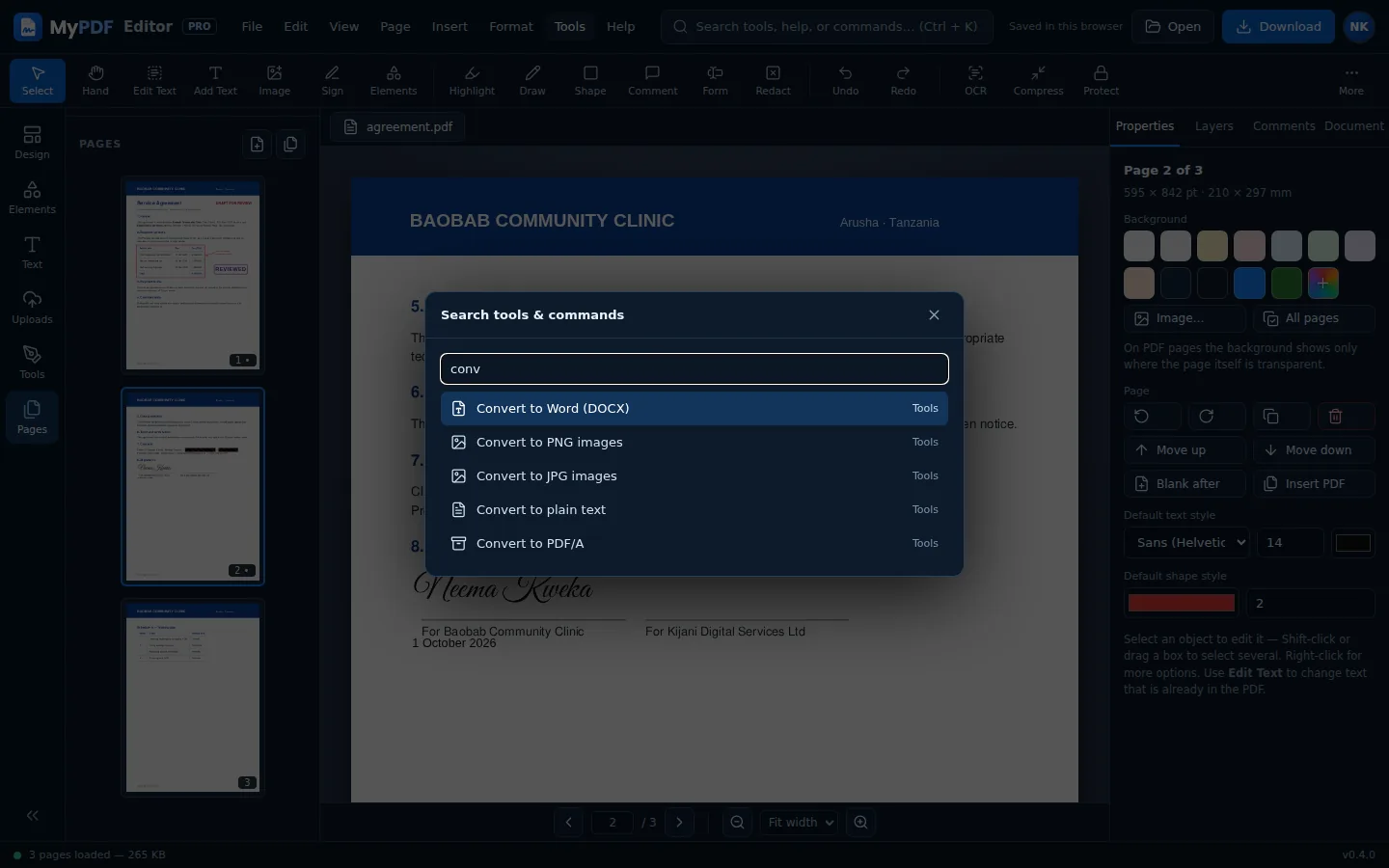
Try it with your own document
No sign-up needed to start. Your file stays on your device.
Plan and publish your posts
- Facebook Pages, Instagram, LinkedIn, X, TikTok and Telegram, plus a Test channel for training
- One post with its own version for each account, live character counts and previews
- AI captions in your tone and language
- Month, week and queue views; drag a post to reschedule it
- Approvals, retries and email alerts when a post fails
- Post a design straight from the editor
About the social media planner