Edit text that's already in the PDF
- Choose Edit Text in the toolbar (or press E). Lines of text on the page get an outline when you hover over them.
- Click the line you want to change. It becomes an editable text box with the same wording.
- Type your changes. Press Esc or click elsewhere when you're done.
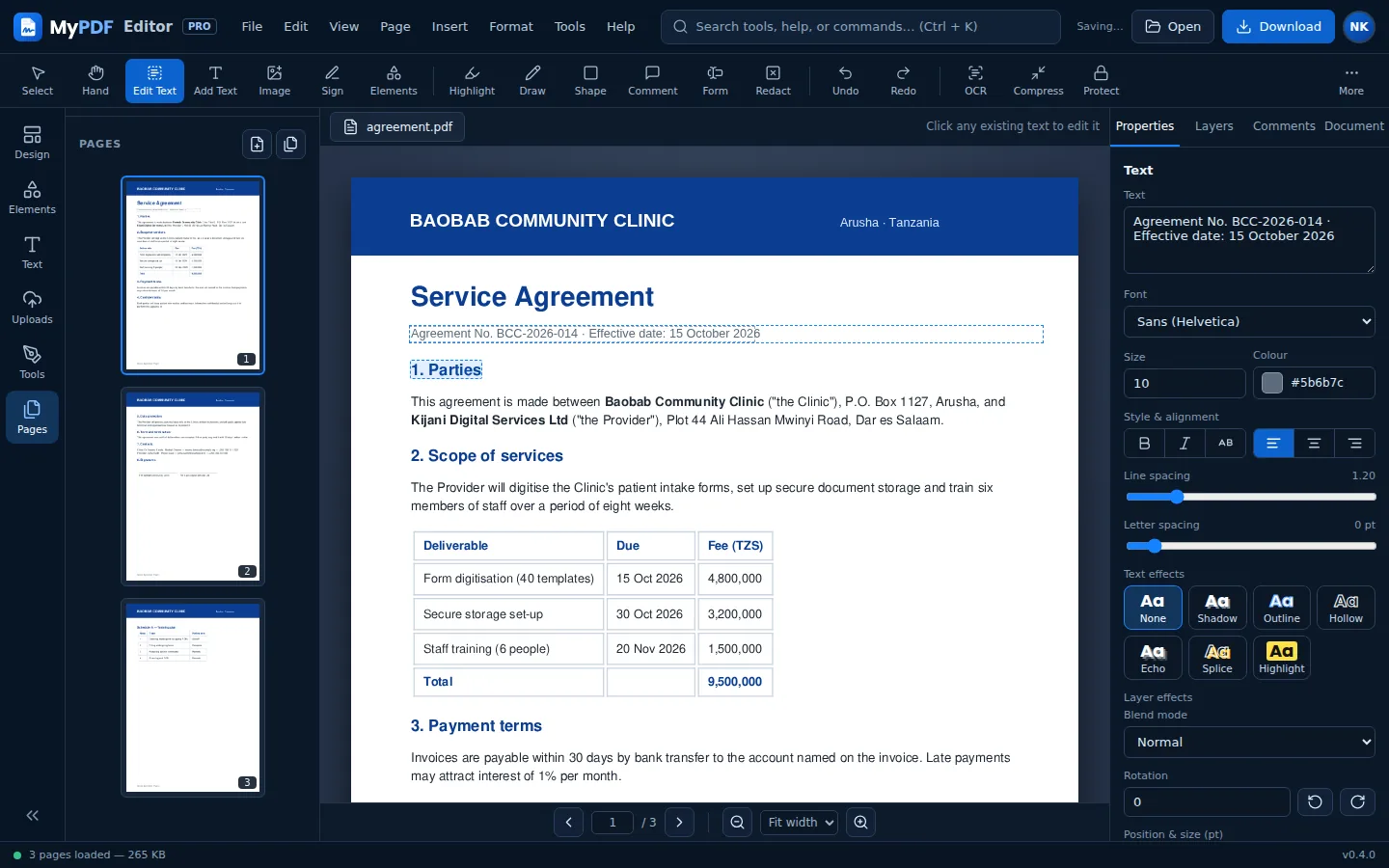
MyPDF matches the original size, boldness and colour, and picks the closest font style (sans, serif or mono). When you download, the original words are removed from the file and replaced with your new text, so the old version can't be selected or searched.
Nothing to click on a scanned page? It's a picture, not text. Run OCR first, then use Edit Text.
Add new text
- Choose Add Text (T).
- Click where the text should start, or drag to set the width of the box.
- Type. Press Esc when finished.
To change the text later, double-click it (on a touch screen, tap it once to select it and tap again to edit). You can also select it and edit the wording in Properties.
Other quick text tools: Date (D) inserts today's date, Check mark inserts ✓, and Ctrl + V pastes copied text as a new text box.
Format text
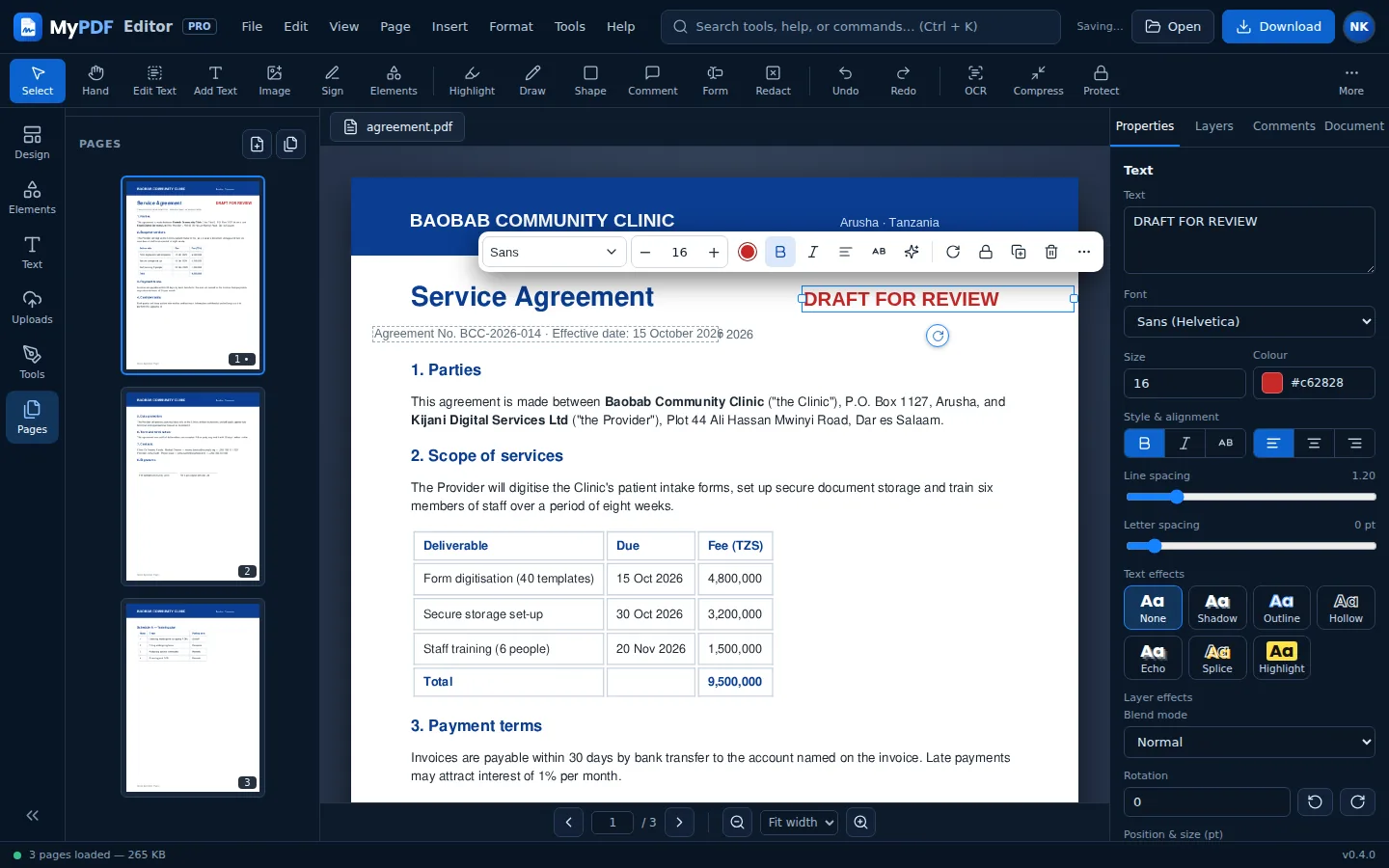
- Font: Sans (Helvetica), Serif (Times), Mono (Courier) or Unicode (DejaVu Sans). Use Unicode for symbols and characters outside Western European languages. MyPDF switches to it automatically if needed.
- Size, colour, bold (Ctrl + B), italic (Ctrl + I) and alignment.
- Position & size: drag the box, drag the side handles to change its width, or type exact values in points.
- Opacity and Arrange (bring to front, send to back).
The style you choose becomes the default for your next text box. You can also set the default under Properties when nothing is selected.
Tips
- Move a selected item one point at a time with the arrow keys, or ten points with Shift + arrows.
- Ctrl + D duplicates the selected item. Delete removes it. If the item came from Edit Text or OCR, MyPDF keeps an automatic removal mask so the original source text is actually removed from the downloaded PDF instead of reappearing underneath.
- To erase something without replacing it, use White-out (W) and drag over it. For original PDF/OCR text, the secure server redaction pass removes the underlying searchable text during download.
Still stuck? Contact us and tell us what you were trying to do. We read every message.